When you pay
Everything up to the recap is free and stays yours. Paying unlocks the calculation and every step after it. Until then no figure, range or chart exists anywhere: not on screen, not in an email, and not in anything your Guide says.
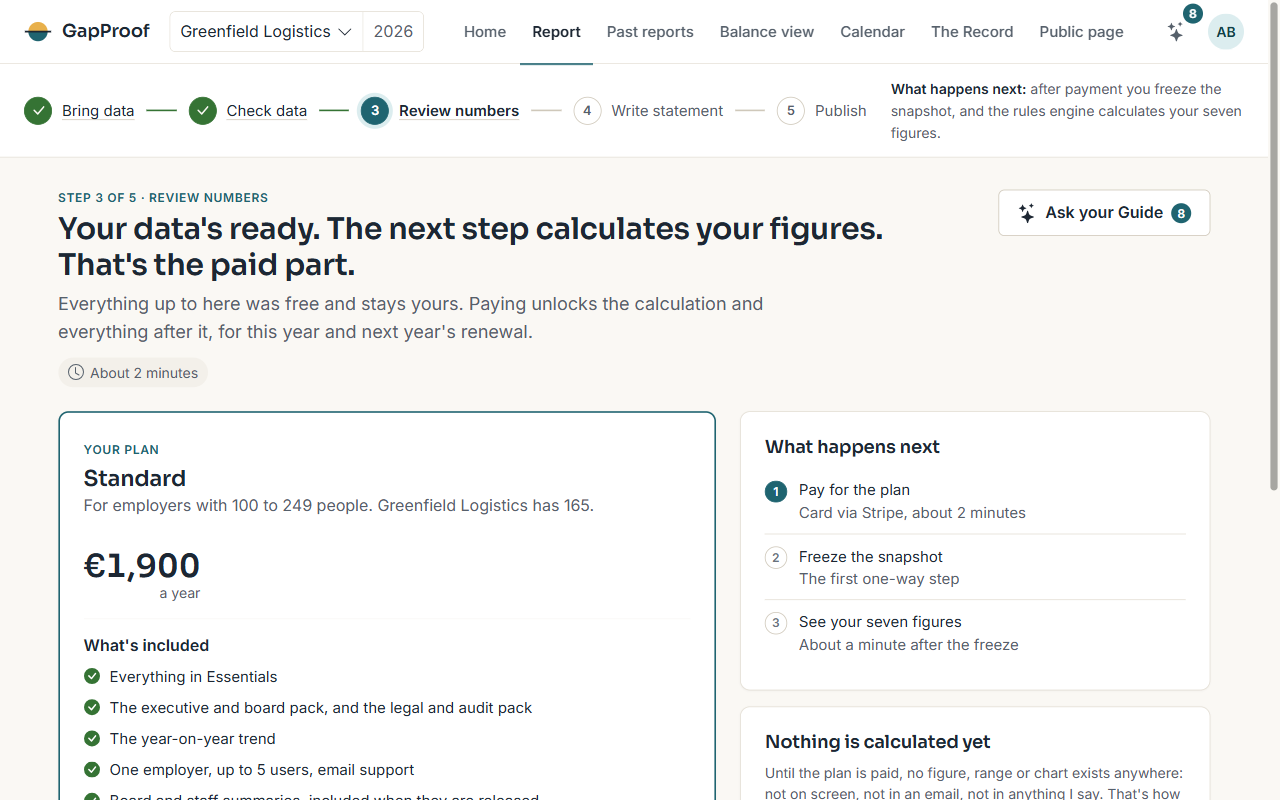
Which plan
The plan follows the number of people the health check counted: Essentials for 50 to 99 people, Standard for 100 to 249, and Plus for 250 or more. The paid step shows the plan that fits you and its price, and the Pricing page compares what each plan includes.
If the count looks wrong, check who's counted on the recap before you pay.
Paying by card
- Choose Pay with a card on the paid step.
- Pay on Stripe's secure page.
- You come straight back, and I unlock the calculation as soon as Stripe confirms the payment.
Prefer an invoice? Write to support@gapproof.ie and I'll unlock the calculation when it's paid.
Renewal
Your plan renews once a year, ahead of the next June snapshot. Each owner gets an email 31 days before the renewal date with the date, the plan and the price. You can turn renewal off any time before then in Settings & billing.
Only an owner can pay or change billing.