Freeze the snapshot
Once you've paid, the recap offers to freeze the snapshot. Freezing locks the data the figures are worked out from, so every number can always be traced back to exactly what you approved. It's one of only two one-way steps, and I explain what it means before you confirm.
Freezing is an owner's step. If you'd like to see figures first, you can run a draft from the recap: draft figures are marked DRAFT and can't be published.
Your seven figures
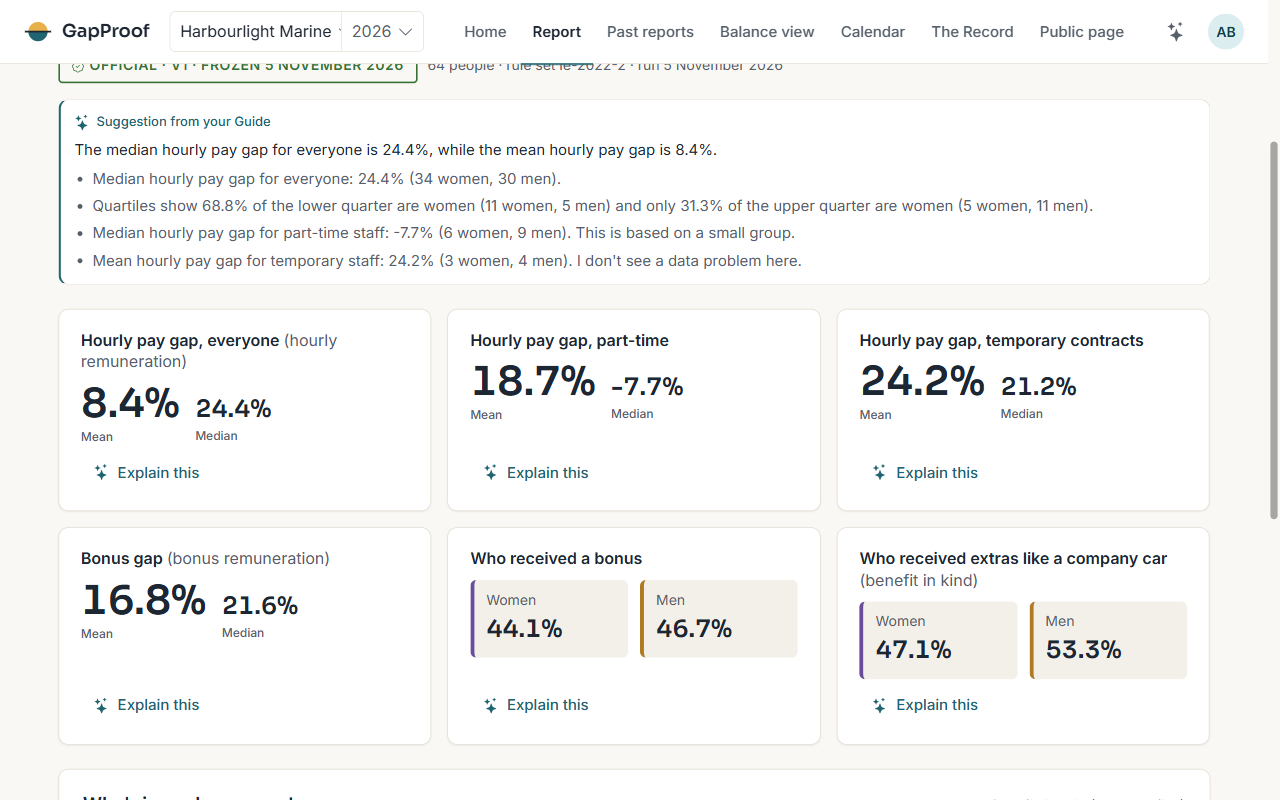
About a minute after the freeze, the rules engine has worked out the seven groups of figures the law asks for: the mean and median hourly pay gap, the same for part-time and for temporary staff, the bonus gaps, the share of women and of men who got a bonus or extras (benefit in kind), and the share of women and of men in each pay quarter.
Every figure comes from the frozen snapshot through a versioned set of rules, never from AI. The rule set used is printed with the figures.
Understanding a figure
Choose Explain this on a figure and your Guide tells you, in plain words, what drives it. You can also see the people behind a figure, 50 at a time. Your Guide's notes explain the numbers; they never change one.
If something looks wrong
A frozen snapshot is never changed. If you find a mistake after the freeze, an owner starts a correction, which makes a new version from a fresh upload.