What to export
Export one row per person on the payroll in the twelve months up to the snapshot date, with their gender, pay and hours. Leavers in that period are fine; I sort out who counts. You don't need to tidy the file first.
Money columns should be the totals for the year, hours worked the hours for the year, and contracted hours a week.
I read Excel (.xlsx, .xlsm, .xls) and CSV files of up to 50,000 rows, and I recognise the common Irish payroll systems: BrightPay, Sage Payroll, Thesaurus Payroll Manager, CollSoft and others.
Uploading the file
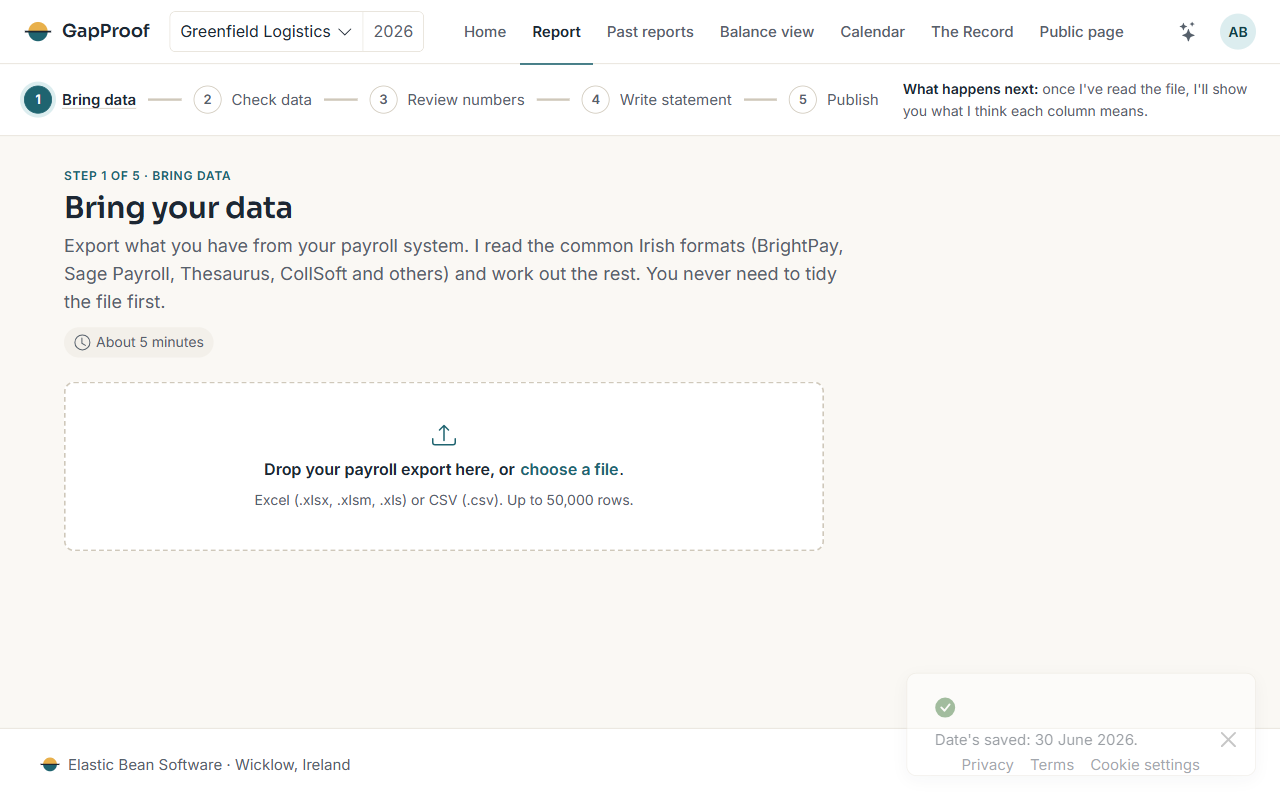
- Open Report and go to Bring data, or carry on from the snapshot date.
- Drop your file on the page, or choose it.
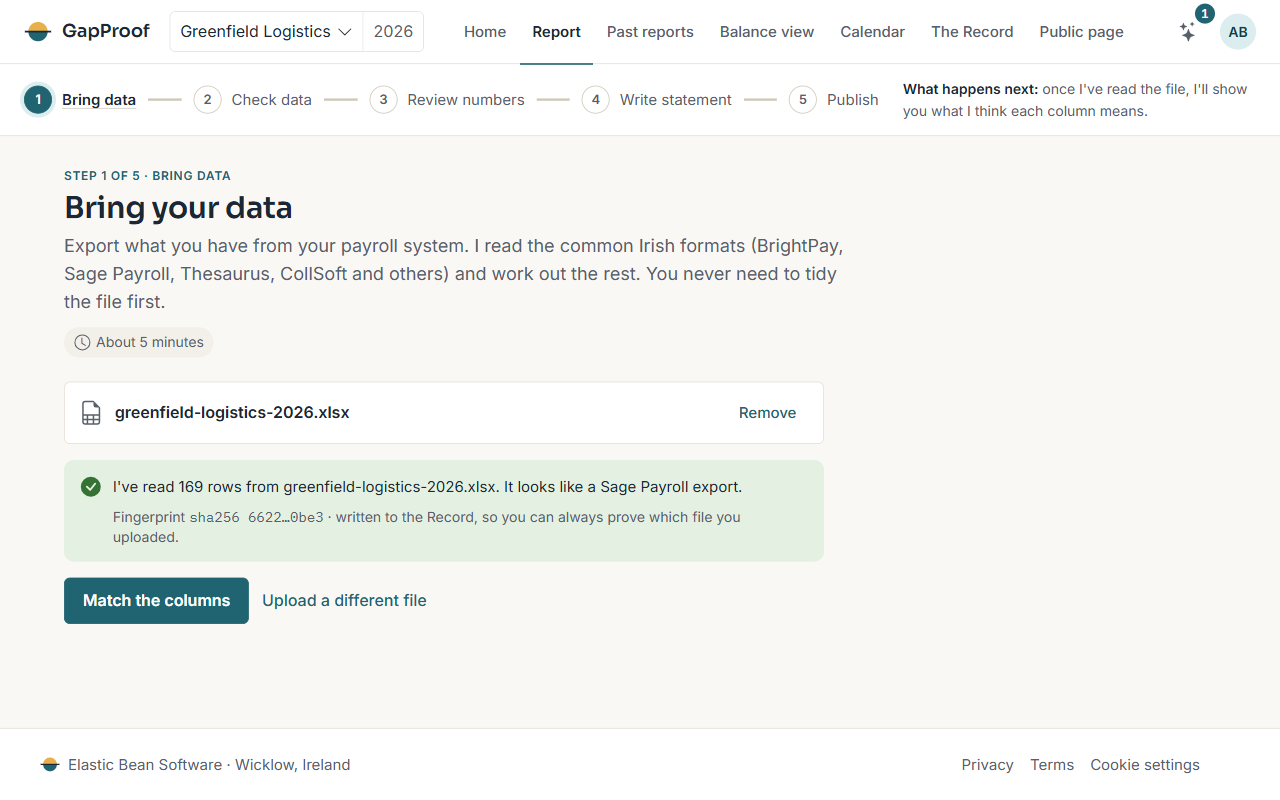
- I tell you how many rows I read and which payroll system it looks like.
The file's fingerprint goes into the Record, so you can always show which file the report came from.
Matching the columns
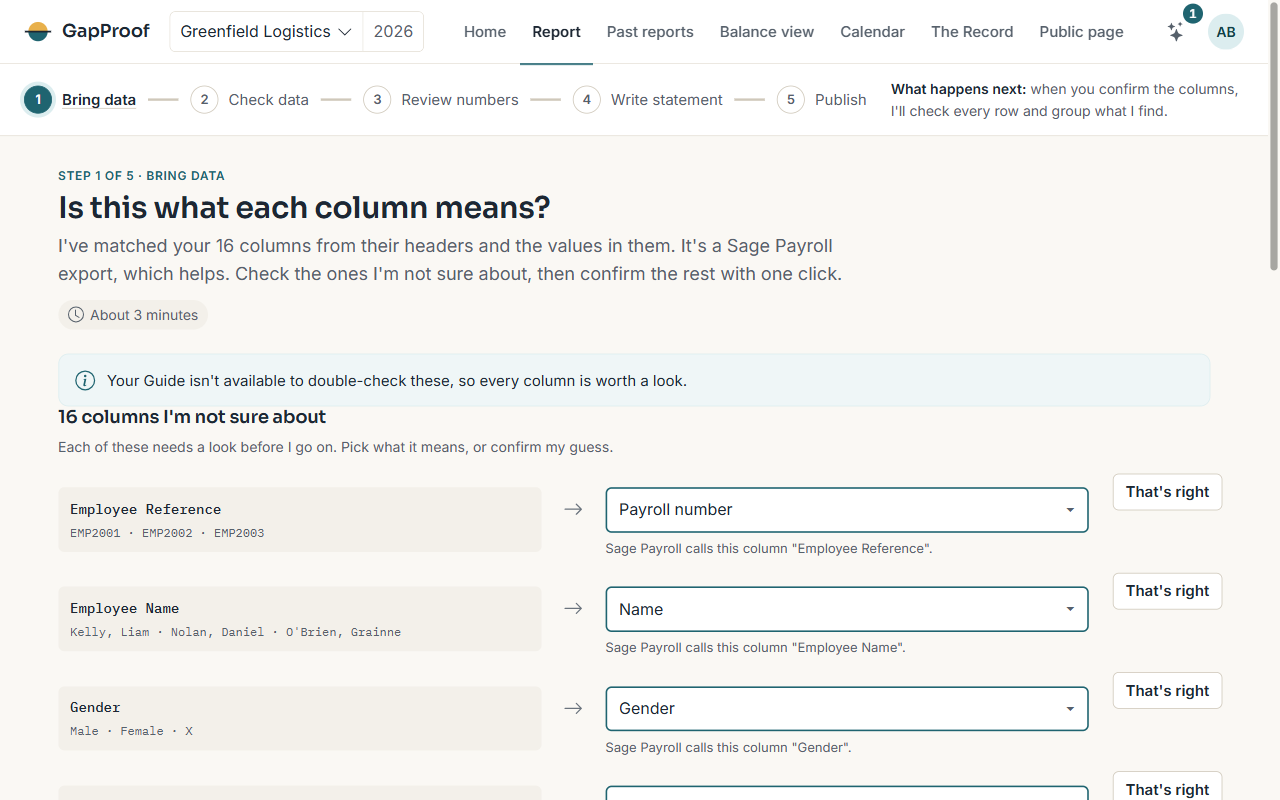
Next I show each column in your file, a few of its values, and what I think it means. Check the ones I'm not sure about: pick what the column means from the list, or choose That's right.
When every column has a meaning, choose Confirm all and check the file. Next year, if your export has the same headers, I start from the choices you made this year.
Who sees your file
Your file is kept in your own private storage in the EU, and only people on your account can open it. A file that never goes into a frozen report is deleted 90 days after it arrives, unless it's still the one your report is using.